

Online RFQ tools can organize custom pivot requirements, locate candidate suppliers and collect responses, but those tasks do not establish an approved manufacturing quotation. For a bolt and spacer kit, preserve the drawing revision, material condition, final finish, quantity and acceptance scope as distinct inputs. Flag missing information instead of silently choosing a standard thread or generic finish. A candidate match indicates potential relevance; a provisional estimate carries assumptions; a firm offer needs its actual defined scope. PremFixer's inquiry path supports a manufacturing discussion, not an established instant-pricing engine or automatic approval of custom interfaces.
Hero: concept illustration of example hardware and its application. It is not a factory photograph, tested component or approved production geometry.
Choose the task before choosing the tool
Requirement collection, supplier discovery and quotation comparison solve different problems. Identify which one currently causes delay. A form can reduce repetitive data entry without evaluating whether a particular bearing seat can be manufactured and inspected in its final condition.
Fasten.it's public RFQ form presents standard, material, quantity, size and notes fields and describes direct supplier responses. This supports an inquiry-distribution example, not proof of automatic engineering approval, algorithmic quote comparison or a PremFixer integration.
For custom hardware, judge a proposed tool by whether it preserves the relevant definition and exceptions. A polished interface that forces every component into a nominal bolt size may lose the shoulder and sleeve requirements that make the purchase specific.
Represent the supplied object without guessing defaults
Use part and drawing revision alongside file references. Distinguish component quantity from kit quantity and identify how many of each sleeve or washer are supplied per kit. Units and quantity basis matter even when the numbers can be entered successfully.
Capture material grade and condition separately from surface treatment. A material dropdown does not specify heat condition or a masked bearing surface. Keep final dimensions and the applicable drawing notes accessible instead of copying only nominal size into a simplified field.
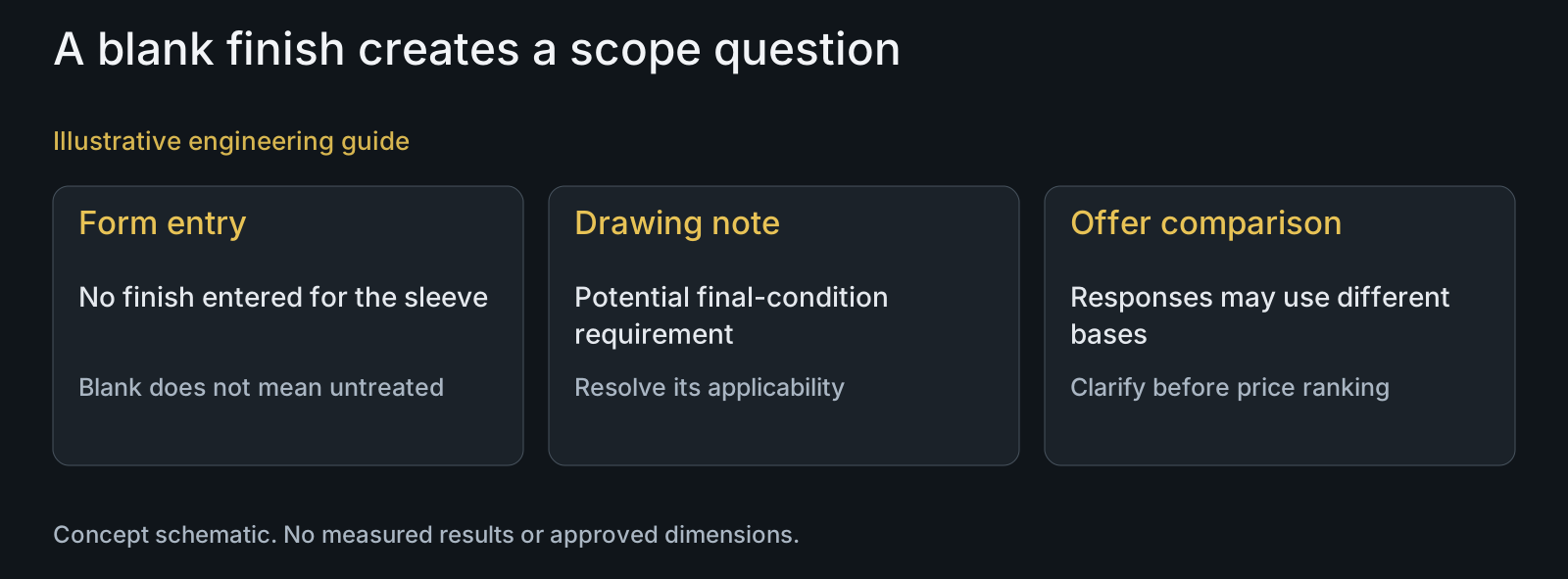
Mark omitted values as unresolved. A blank finish is not automatically untreated, and an absent thread definition is not permission to choose the nearest catalog thread. The practical RFQ guide describes the engineering inputs behind these fields.
| Input | Meaning to preserve | Unsafe shortcut | Useful exception action |
|---|---|---|---|
| Part and revision | Drawing applies to a named component | Latest upload treated as accepted revision | Identify the controlling definition |
| Quantity | Kits versus individual items | One quantity copied to every BOM line | Clarify component quantities per kit |
| Material condition | Grade and condition needed for the route | Generic metal selected by default | Request the unresolved condition |
| Finished interface | Dimensions apply at the supplied state | Nominal size substitutes for drawing notes | Route feature and treatment question |
| Supplier response | Candidate, estimate or scoped offer | Any populated price called firm | Show assumptions and actual response state |
| Changed requirement | Offers remain tied to their basis | Old prices reused for a new revision | Identify affected responses for clarification |
Separate three response states
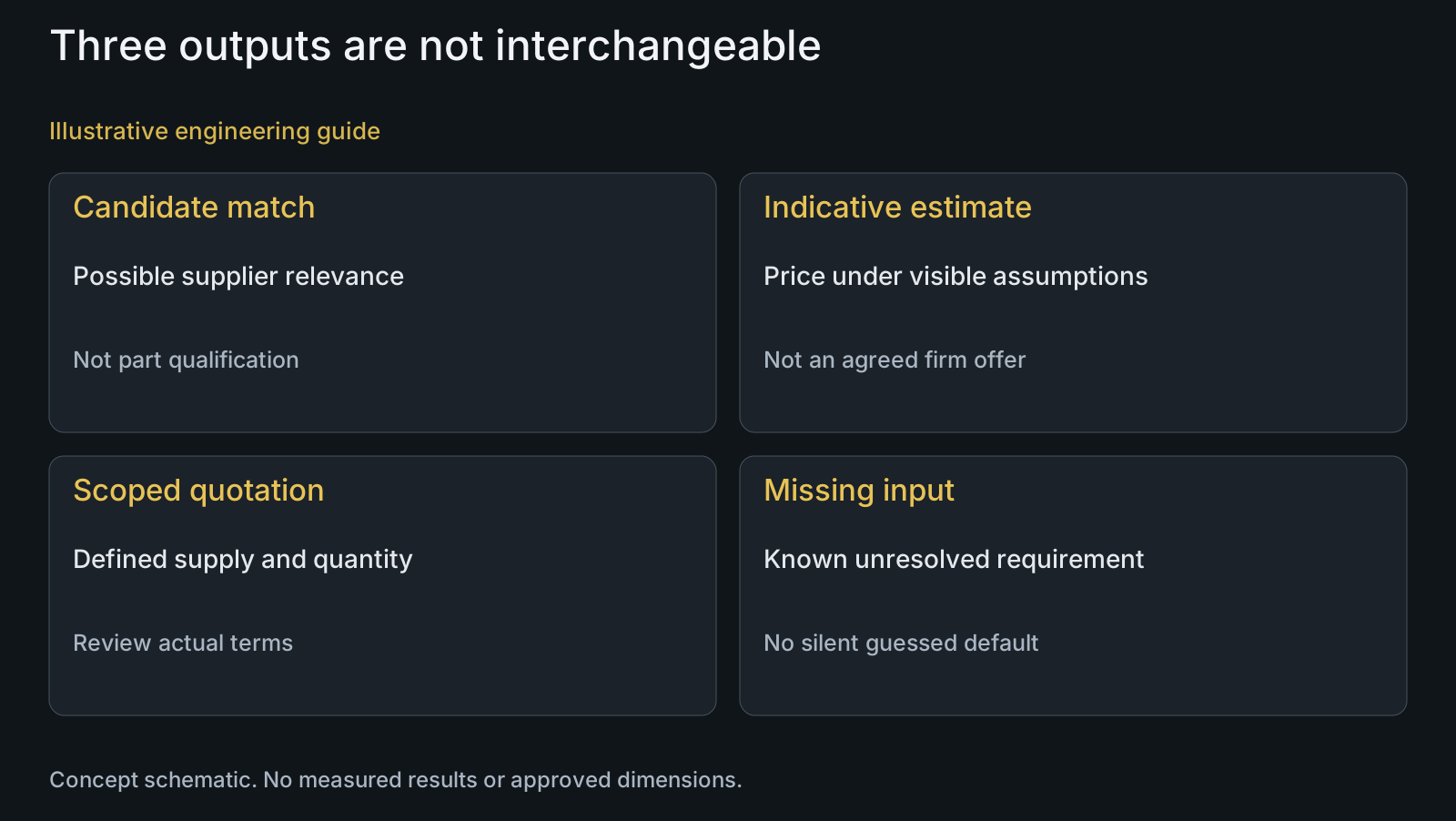
A supplier candidate can be relevant to a process without being qualified for the actual component. An indicative estimate can be useful for early option screening if its exclusions and assumptions are visible. Neither should appear as a firm offer merely because a price cell is populated.
For a manufacturing quotation, identify its configuration, quantity, supplied condition, included evidence and commercial scope. Keep alternatives as separate responses rather than overwriting the requested requirement. This distinction lets the buyer compare offers without silently accepting a different sleeve or finish.
The supplier quote-comparison article addresses comparable offers. Automation should retain the supplier's stated scope alongside normalized fields so a reviewer can see whether a value was provided, interpreted or still unconfirmed.
Route exceptions without deleting them
A nonstandard thread, constrained inspection access or new treatment combination should prompt the appropriate technical discussion. The rule need not prescribe a universal tight-tolerance threshold; identify the feature and why its manufacturing or evidence scope is unresolved.
Return the reviewer response to the affected input, including assumptions and any proposed alternative. A warning hidden in a free-text note can be missed by a comparison screen that shows only price and lead time. Keep the exception visible wherever the dependent decision is made.
If the drawing changes after replies arrive, identify affected responses before ranking them. An old offer should not automatically become a response to the new revision. Reuse unaffected information only after its relevance has been assessed; this is a conceptual workflow, not a claim of deployed supplier software.
Review an omitted finish on a sleeve kit
Illustrative engineering example: assume an RFQ form receives a steel bolt and aluminium sleeve kit drawing but its finish field is blank. One response explicitly assumes an untreated sleeve; another includes a specified finish based on a note in an attached drawing. No actual software output or supplier price is assumed.
A price-only ranking would compare different final conditions. The buyer first identifies whether the drawing note applies and reconciles the requirement with the RFQ field. It then asks each affected respondent to clarify the offer basis rather than treating the lower number as automatically preferable.
The useful automation output is an explicit scope conflict and the responses affected by it. No finish, tolerance or result is invented. The scenario shows why successful form validation cannot replace a review of the engineering meaning.
Use the inquiry path within its actual boundary
Send relevant drawings, STEP and BOM with the intended supplied state through the agreed channel. Do not put credentials or unrelated customer drawings into a general inquiry. Discuss any confidentiality needs and recipients before distributing sensitive project information across a supplier network.
PremFixer's manufacturing overview and materials pages support a drawing-led conversation. The digital procurement guide distinguishes inquiry receipt from later approval and order events. This article offers field-design analysis, not an installed matching engine, live quotation API or automatic production authorization.
Keep the knowledge center available for adjacent decisions. The next useful outcome is a clearly bounded manufacturing response with open questions visible, not a promise that every custom part can be priced without engineering input.
Questions buyers need to confirm
Does PremFixer offer automatic instant prices for all pivots?
That service is not established here. The inquiry path supports review of customer-defined components. Provide drawing, BOM, quantity and supplied state so the relevant scope and open questions can be discussed.
Can a tool fill in an omitted thread definition?
Do not silently guess it. Identify thread form, size, engagement requirements and any drawing-specific feature. A nearest catalog selection may change both mating compatibility and manufacturing scope.
What is the difference between matching and quoting?
Matching identifies possible supplier relevance. A quotation addresses a defined supplied object and commercial scope. Neither a search result nor candidate label establishes qualification or a firm price for a custom kit.
Can we compare provisional estimates?
Yes, for a bounded early decision if their assumptions and exclusions remain visible. Do not rank them as equivalent production offers when material, finished condition, quantity basis or acceptance evidence differs.
What should happen when the drawing and form disagree?
Identify the conflict and its affected responses, then reconcile the controlling requirement with the responsible reviewer. Do not let a populated form field automatically override an attached engineering definition.
Will Fasten.it automatically approve or compare this design?
No such capability is established by the cited public inquiry form. It describes requirement fields and supplier responses. Evaluate any proposed tool's actual documented service separately instead of inferring custom engineering approval.
Technical references and scope
Fasten.it public RFQ form. Observed inquiry fields and direct supplier-response description; no automatic quote comparison, design approval or supplier integration inferred.
Explore related component, material and sourcing decisions in the customer decision knowledge center. For a drawing review, use the Drawing/BOM RFQ path.
Request a defined quotation rather than a guessed default
Send the drawing revision, STEP, BOM, material condition, finish, kit quantities and inspection needs through the Drawing/BOM RFQ path. Identify missing fields or contradictory assumptions so PremFixer can clarify the manufacturing offer basis; no software deployment or instant-pricing service is promised.
Discuss the drawing and BOM